Asteria Quant
Choose a ready-made strategy, connect a trade-only exchange API key, and run automated execution without moving custody. The setup keeps strategy choice, exchange connection, and live control in one flow.
Open Asteria Quant →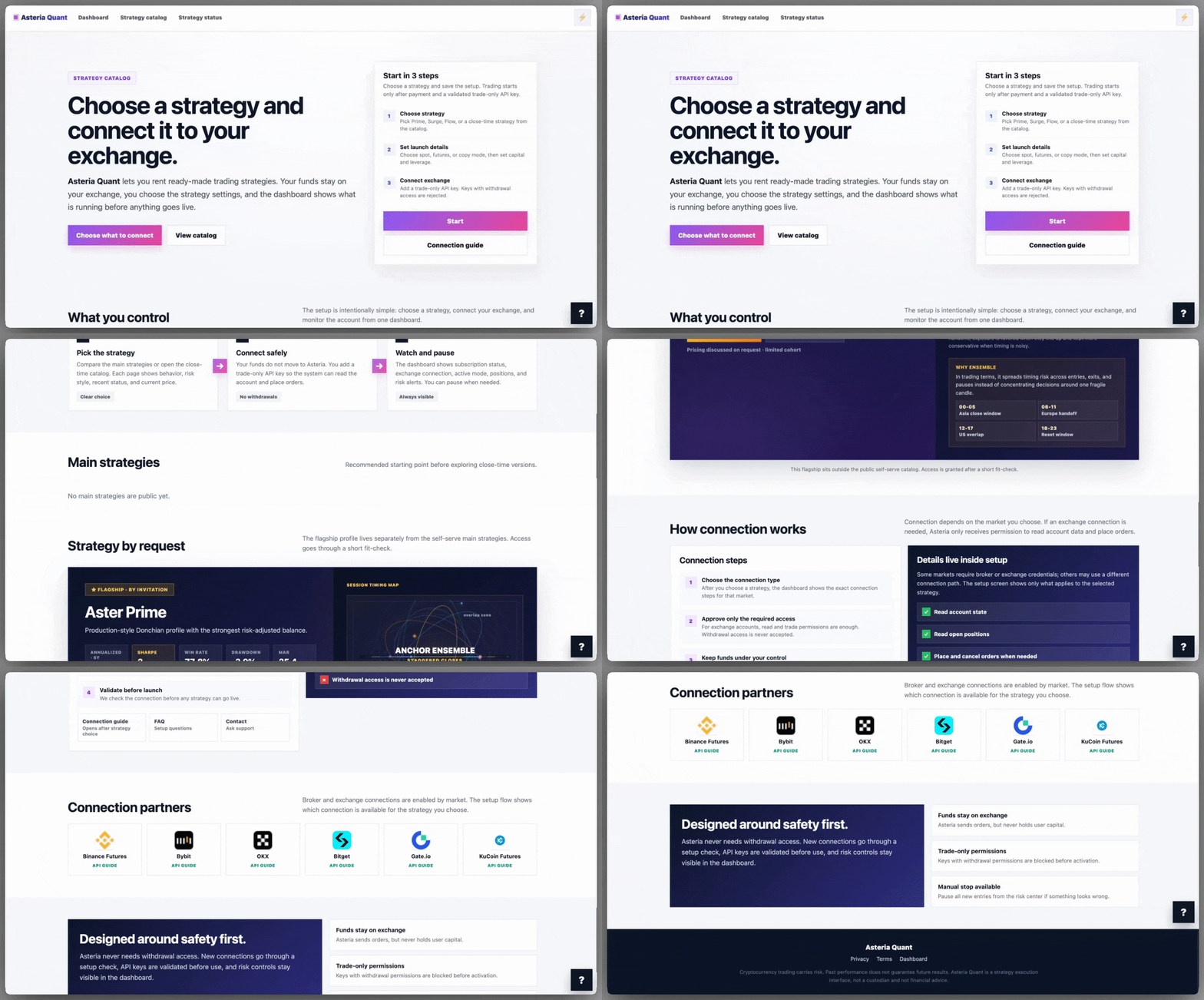
Pick the model before you connect the account.
Asteria starts from a clear product decision: compare strategies, risk style, and setup requirements first, then continue to launch details only for the model you actually want to run.
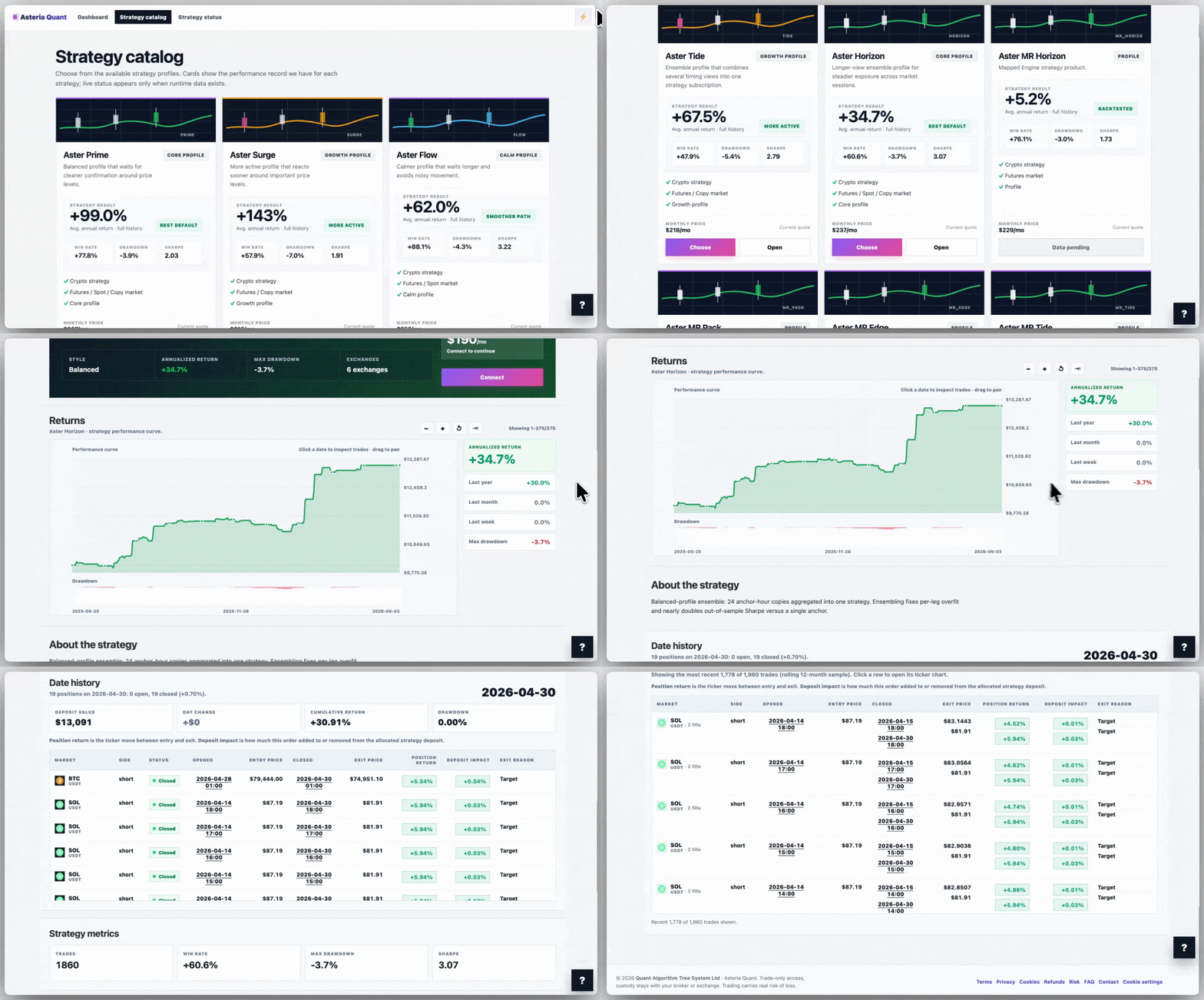
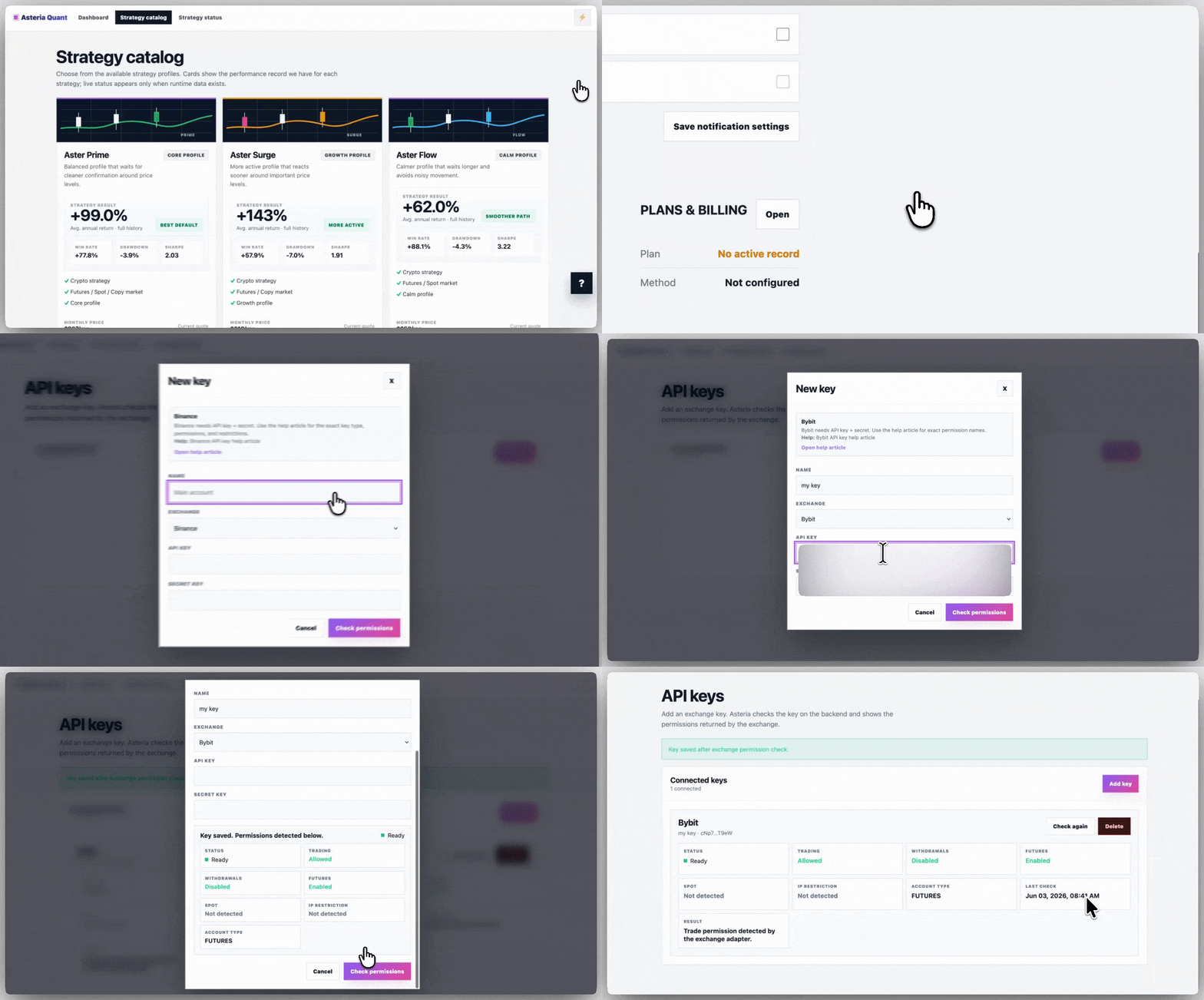
Automation works without taking custody.
Funds stay on the user’s exchange. Asteria only uses trade-only permissions to read account state and place orders, while keys with withdrawal access are explicitly rejected.
Setup, validate, then go live deliberately.
The launch path is sequential: choose the strategy, set market and capital details, validate the exchange connection, and only then allow the strategy to start running.
The dashboard keeps execution visible.
After launch, the user can see what is connected, what mode is active, and when to pause. The product is not just a catalog page; it stays operational after the strategy is selected.